
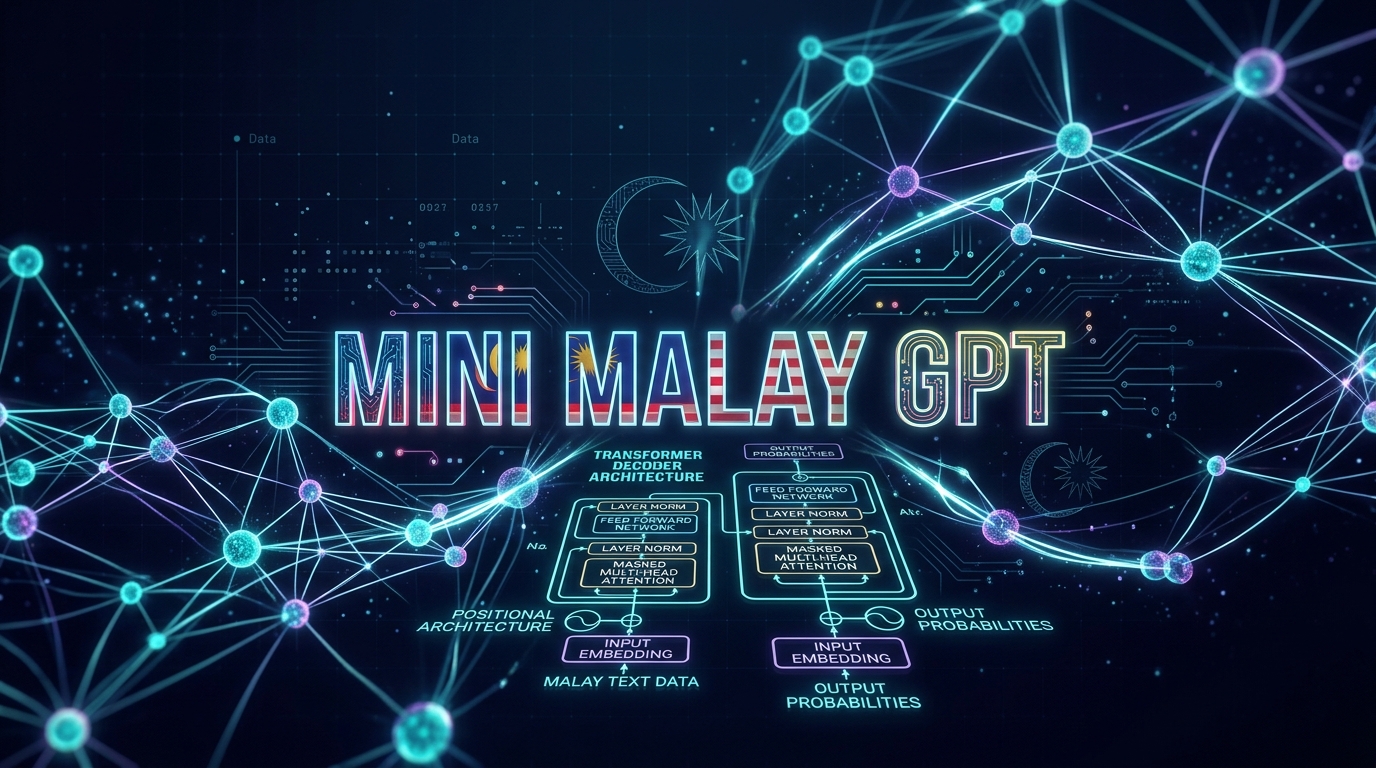
Overview
What is Mini Malay GPT?
MiniGPT for Bahasa is an educational, end-to-end implementation of a GPT-style decoder-only language model built specifically for the Malay language. It covers every layer of the pipeline — corpus cleaning, BPE tokenizer training, model architecture, pretraining on Malay Wikipedia, and supervised fine-tuning for conversational responses.
BPE Tokenization
SentencePiece BPE tokenizer trained on Malay text, producing a 16,000-token subword vocabulary optimised for Bahasa Melayu.
GPT Architecture
Causal self-attention with multi-head attention, feed-forward networks (4x expansion), pre-norm layer normalisation, and residual connections.
Wikipedia Pretraining
Pretrained on cleaned Malay Wikipedia with gradient accumulation (effective batch 128), AdamW optimiser, and FP16 mixed precision.
Chat Fine-tuning
Supervised fine-tuning on USER: ... ASSISTANT: ... END formatted chat data with loss masked on user turns.
Desktop GUI App
Tkinter-based desktop app (main.py) with step-by-step wizard, real-time training logs, and interactive chat interface.
Educational Focus
Every component is written from scratch in pure PyTorch — ideal for learning transformer internals without hidden abstractions.
Model Architecture
GPT-style Decoder
The model follows the decoder-only transformer architecture popularised by GPT-2. Input tokens are embedded, passed through N transformer blocks, and projected to vocabulary logits.
Default Hyperparameters
| Parameter | Value | Description |
|---|---|---|
| block_size | 128 | Context length |
| embedding_dim | 256 | Model dimension |
| n_heads | 4 | Attention heads |
| n_layers | 4 | Transformer blocks |
| vocab_size | 16,000 | BPE vocabulary |
| ff_dim | 1,024 | Feed-forward (4x embed) |
| dropout | 0.1 | Regularisation |
Quick Start
Get Up and Running
Install dependencies and train your own Malay language model in five steps.
pip install torch sentencepiece tqdm
Train the BPE Tokenizer
Train a SentencePiece BPE tokenizer on your Malay text corpus. Output: mswiki_bpe_16k.model
cd tokenizers
python train_tokenizer.py
Prepare and Tokenize Data
Tokenize Malay Wikipedia and chat data into PyTorch tensors (.pt files).
cd data
python token_mswiki.py       # Wikipedia data
python prepare_chat_data.py  # Chat data
Pretrain on Malay Wikipedia
Train the base GPT model. Checkpoints saved to checkpoints/latest.pt every 10,000 steps.
cd training
python demo.py
Fine-tune for Chat
Supervised fine-tuning on conversational data. Loss is masked so only assistant responses are trained.
cd training
python chat_finetune.py
Run Inference / Chat
Test the model interactively or use it programmatically for text generation.
cd scripts
python gpt_test.py
import torch
import sentencepiece as spm
from scripts.gpt_test import TinyGPT

# Load tokenizer
sp = spm.SentencePieceProcessor()
sp.load("tokenizers/mswiki_bpe_16k.model")

# Load model
model = TinyGPT().to("cuda")
model.load_state_dict(torch.load("outputs/chat_finetuned.pt"))
model.eval()

# Generate a response
prompt = "USER: Apa itu kecerdasan buatan? ASSISTANT:"
ids = sp.encode(prompt, out_type=int)
x = torch.tensor([ids], dtype=torch.long).to("cuda")
output = model.generate(x, max_new_tokens=80, temperature=0.6, top_k=15)
print(sp.decode(output[0].tolist()))
python main.py # Opens the step-by-step training wizard
The desktop app provides a full training wizard with visual progress, real-time logs, configurable parameters, and an integrated chat interface.
Training Details
Pretraining & Fine-tuning
📚 Pretraining — demo.py
| Dataset | Malay Wikipedia | |
| Batch size | 32 | Effective: 128 w/ grad accum |
| Learning rate | 3e-4 | AdamW optimizer |
| Precision | FP16 | Gradient scaling |
| Grad clipping | 1.0 | Max norm |
| Checkpoints | Every 10K steps | checkpoints/latest.pt |
💬 Fine-tuning — chat_finetune.py
| Dataset | Chat conversations | |
| Format | USER: ... ASSISTANT: ... END | |
| Loss masking | Assistant only | User turns masked |
| Learning rate | 5e-5 | Lower than pretrain |
| Batch size | 16 | |
| Base model | checkpoints/latest.pt | Pretrained weights |
Data Format
Chat Data Structure
Each conversation line follows a simple structured format that marks speaker turns and response boundaries.
# One conversation per line
USER: Apa itu kecerdasan buatan? ASSISTANT: Kecerdasan buatan ialah teknologi yang membolehkan mesin belajar dan membuat keputusan seperti manusia. END
USER: Terangkan bahasa pengaturcaraan. ASSISTANT: Bahasa pengaturcaraan ialah satu set arahan yang digunakan untuk berkomunikasi dengan komputer. END
USER: Apa itu transformer dalam AI? ASSISTANT: Transformer ialah seni bina model AI berasaskan mekanisme perhatian (attention) yang membolehkan model memproses data secara selari. END
📁 Preparing Your Own Data
- Place raw
.txtfiles in thedata/directory - Run
python data/prepare_chat_data.pyto tokenize chat data - Run
python tokenizers/token_mswiki.pyfor Wikipedia data - Verify with
python scripts/check_tokens.py
Troubleshooting
Common Issues & Solutions
Model not giving correct output
python scripts/check_tokens.pyUse
chat_finetune_debug.py to overfit on a single example and verify the training loop works correctly before scaling up.Import errors when running scripts
cd /path/to/minigptforbahasa && python scripts/gpt_test.pyCUDA out of memory
torch.cuda.amp.autocast() and GradScaler are active.Poor generation quality
• Temperature: Lower (0.6–0.7) = more deterministic. Higher (0.9–1.0) = more creative.
• top_k: Lower (10–20) = more focused. Higher (40–50) = more diverse.
Also consider training for more steps, increasing
embedding_dim and n_layers, or adding more training data.How to check which checkpoint step was saved
ckpt = torch.load("checkpoints/latest.pt"); print(f"Step: {ckpt['step']}")Roadmap
Next Steps & Future Work
References
Academic References
data/clean_mswiki.py. ms.wikipedia.org